Roles (web app)
Reference — The "Roles" page in the user menu of the web app: viewing default roles, creating custom roles with individual permissions
What you use this area for
A Role bundles permissions. The web app ships with the default roles Administrator, Editor and Viewer; administrators can add custom roles — for example Sales (only view orders and designs) or Winding (edit orders, no master data). Which users have which role is defined under Account and users.
You open the page via User menu > Roles; it only appears with the permission Manage roles or Manage users.
The screen at a glance
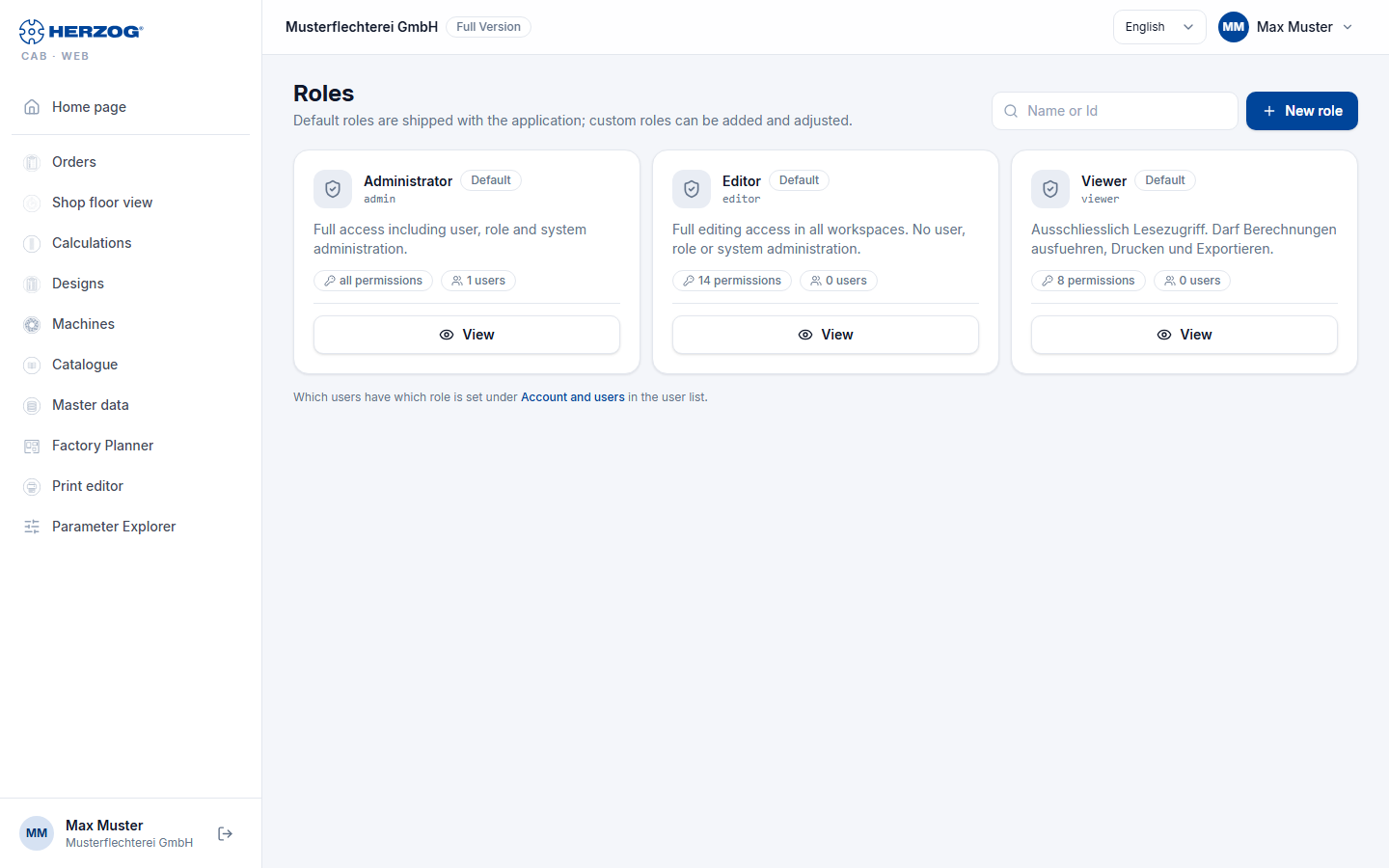
| Element | Meaning |
|---|---|
| New role | Opens the dialog Add new role. |
| Name or Id / Search | Filters the list. |
| Role card | Name, indicator Default or custom, description, all permissions or n permissions and n users. |
| View | Default roles are read-only. |
| Edit / Delete | Change or remove custom roles; a role that is still assigned to users cannot be deleted. |
Only pass on permissions that you have yourself
You can only create, change or delete a custom role if you yourself have all permissions of this role. The same applies when assigning under Account and users: you can neither assign nor withdraw roles with permissions that you do not have, and your own roles are changed by another administrator.
Creating or editing a role
| Field | Meaning |
|---|---|
| ID | Identifier: starts with a lowercase letter, only a–z, 0–9 and _, at most 32 characters (e.g. supervisor). Cannot be changed after creation. |
| Name | Display name. Default roles are translated automatically. |
| Description | Free text. |
| All permissions (Administrator) | The role has all permissions; the individual checkboxes are then ignored. |
| Individual permissions | One checkbox per permission, ordered by groups (see below). At least one permission is required. |
| Create / Save / Cancel |
The permissions
| Group | Permission | Effect in the web app |
|---|---|---|
| Administration | Manage users | Assign roles under Account and users; Roles page visible. |
| Manage roles | Create, change, delete roles. | |
| Manage company data | Edit Company. | |
| Workspace settings | Import and export of the workspace. | |
| Release locks | End someone else's edit lock (button Release lock), in the web app as in the desktop app. Of the built-in roles only the Administrator has it. | |
| Master data | View master data / Edit master data | See or change master data and machines. |
| Factory Planner | View Factory Planner / Edit Factory Planner | Factory Planner. |
| Orders | View orders / Edit orders | Orders. |
| Designer | View designer / Edit designer | Designs and Designer. |
| Braiding Simulator | View Braiding Simulator / Edit Braiding Simulator | See the Braiding Simulator or change programs. Only for accounts with the Braiding Simulator, see Licence and rights. |
| Print templates | View print templates / Edit print templates | Open the Print editor or change, save and delete templates there; Edit template on the print page. |
| Calculations / Export | Run calculations | Calculations. |
| Print / Export | Print and export. | |
| Special tools | Open Parameter Explorer | Prepared for later functions. |
The permissions correspond to those of the desktop app (Roles and permissions); custom roles, however, are maintained separately in each program.