Floor plans
Reference — Create and manage hall floor plans (walls and areas); they form the drawing area for the Factory Planner.
What you use this area for
In Floor plans you create the hall areas on which the Factory Planner arranges your machines. A floor plan describes the Geometry of a hall – essentially walls and areas. The actual placement of machines takes place later in the Factory Planner.
Floor plan and Factory Planner open the same editor
You draw the geometry of a floor plan in the Factory Planner editor – here in the Edit geometry mode, in the Factory Planner in the Populate mode. So first create the floor plan here and then place the machines on it in the Factory Planner.
The screen at a glance
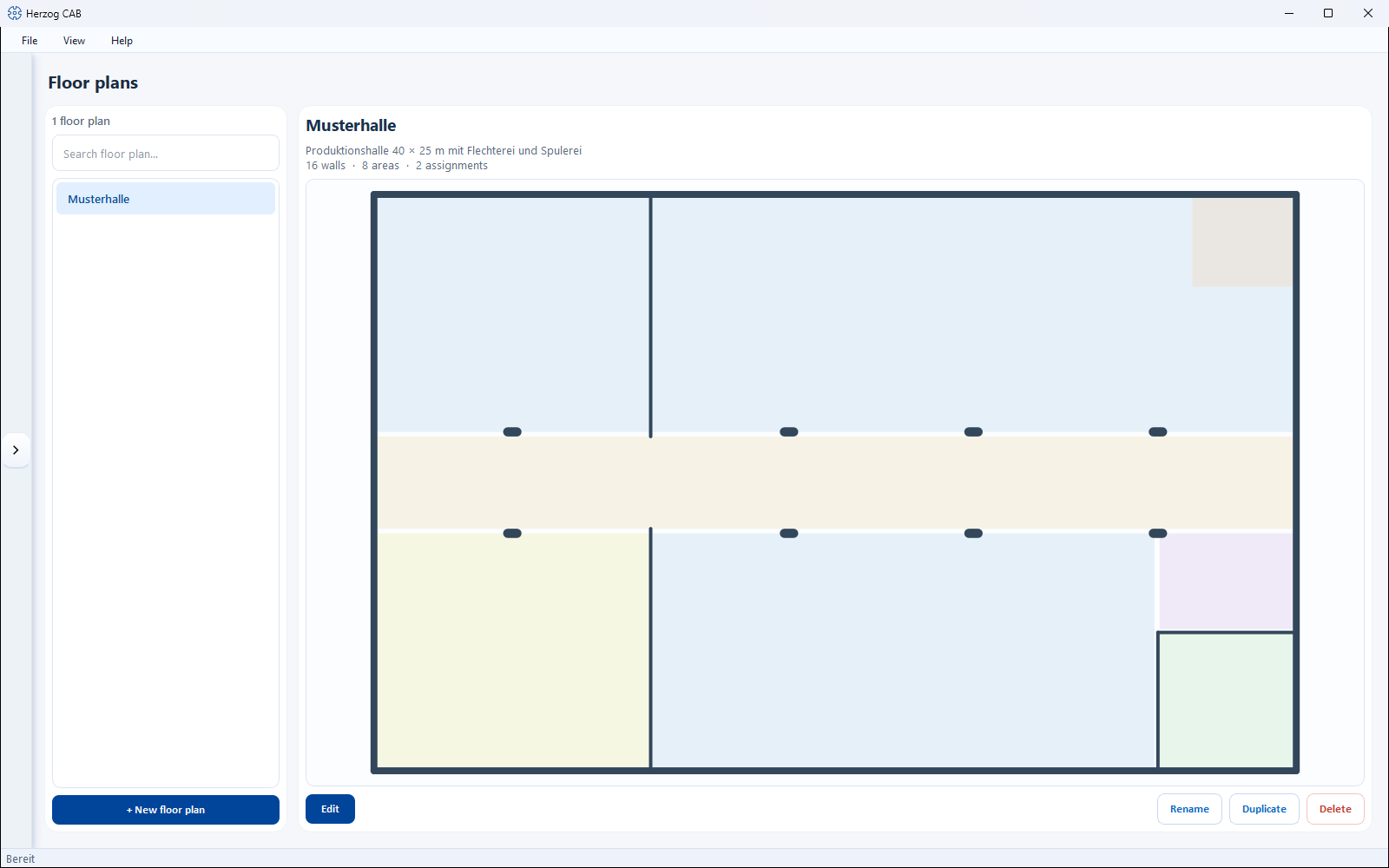
- List (left) – all existing floor plans, searchable via the search field.
- Floor plan (right) – the summary of the selected floor plan (including number of walls, areas and associated assignments).
Controls in detail
| Button | Effect |
|---|---|
| + New floor plan | Creates a new, empty floor plan. |
| Edit | Opens the Factory Planner editor to draw walls and areas. |
| Rename | Renames the selected floor plan. |
| Duplicate | Creates a copy of the selected floor plan. |
| Delete | Removes the selected floor plan (with confirmation prompt). |
Related pages
- Factory Planner – arrange machines on the floor plan
- Factory Planner editor – walls, areas and machine placement in detail
- Build a hall – workflow from floor plan to machine placement