Machines (web app)
Reference — The Machines module of the web app: Machine Fleet with card and list view and the machine page
What you use this area for
Under Machines you maintain the machines of your plant — the master data that orders, Designer and Factory Planner work with. The Herzog models as templates are in their own area, the Herzog catalogue; from there you create a machine directly. The meaning of the machine data is described in the reference of the desktop app (Braiding machines, Bobbin winding machines, Machine Fleet); this page is about operation in the browser.
Machine Fleet
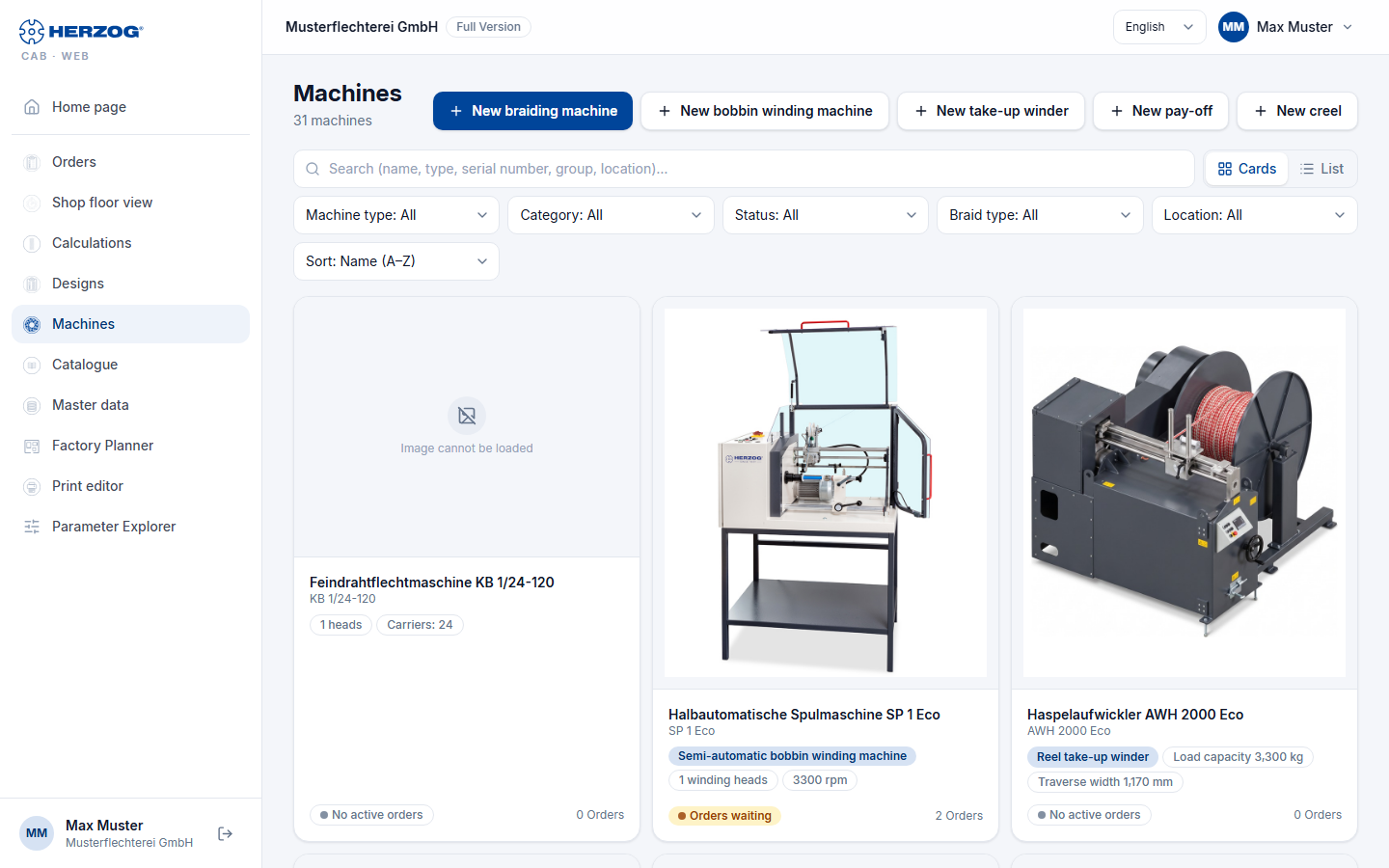
| Element | Meaning |
|---|---|
| New braiding machine / New bobbin winding machine | Open the machine page for a new machine. |
| Search | Filters by name, type, serial number, group or location. |
| View: Cards / List | Cards with image and key figures, or a table. |
| Filter | Machine type (braiding/bobbin winding machines), Category, Status, Group, Braid type, Location; the number of hits is shown next to them (n of m machines). |
| Sort | Order of the list. |
| Card / row | Name, type, category, location, status, key figures (heads, carriers, speed or winding heads and rpm) and the number of running Orders. A click opens the machine page. |
Machine page
The machine page is divided into four tabs; Save is at the top right, next to it Delete and Versions with the earlier versions of the machine. ← Back to Machine Fleet leads to the list. To make changes you need the permission Edit master data — otherwise the page is read-only and names the missing permission.
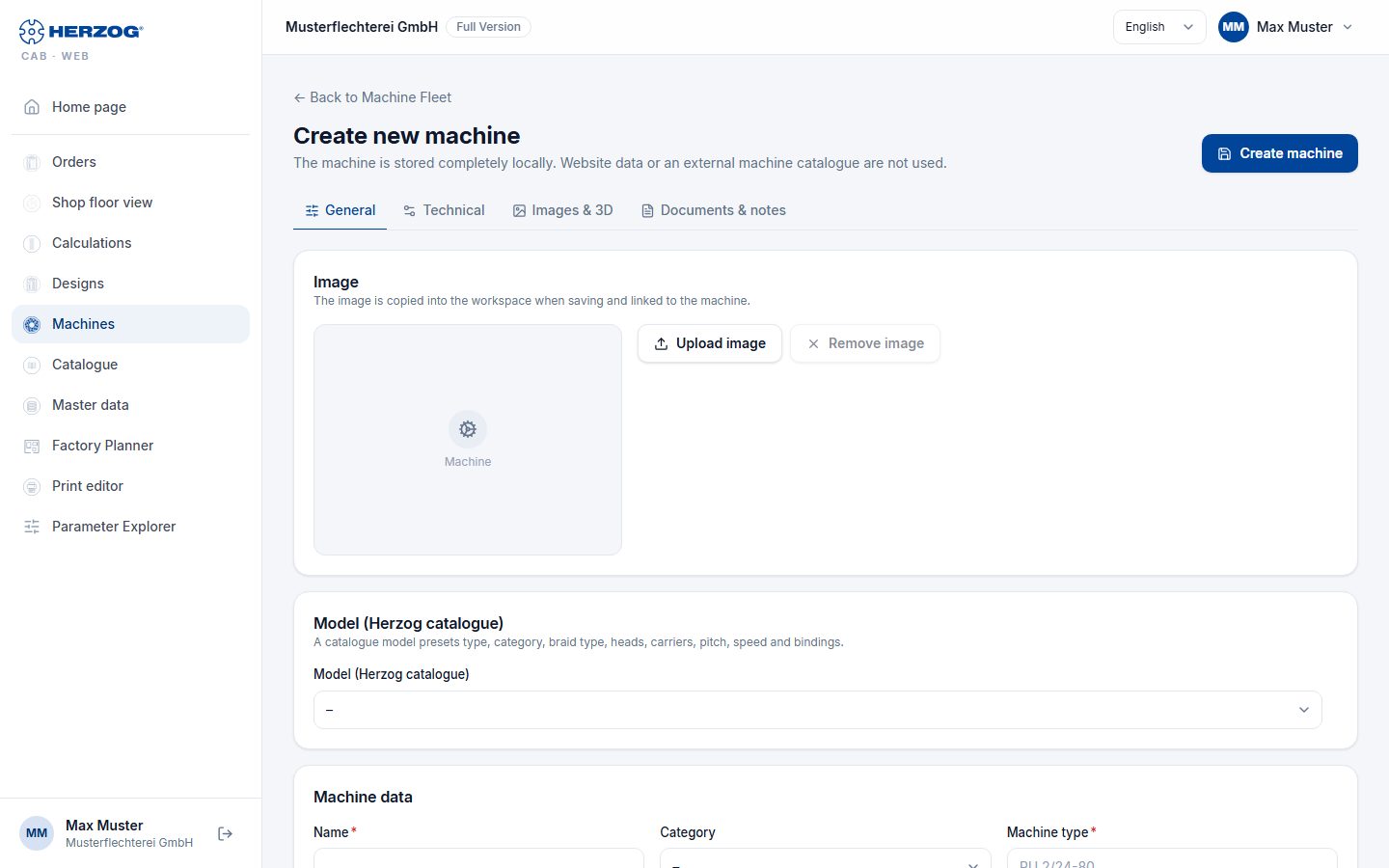
| Tab | Content |
|---|---|
| General | Image (Upload image / Remove image), Model (Herzog catalogue) — a catalogue model prefills type, category, braid type, heads, carriers, pitch, speed and bindings —, machine data (Name, Series, Category, Machine type, Serial number, Group, Location, Year of manufacture, Status) and the running orders of this machine. |
| Technical | Braiding machine: Braid type, End horngear slots, Max. carriers per head, Heads, Pitch, Carrier type, Speed, Oil quantity, Total carriers, Bindings, Matching bobbins, Dimensions (length, width, height — with Calculate dimensions roughly estimated from heads, carriers and pitch), Take-up winding, Take-up option (free or from the suggestions of the catalogue model; switching the take-up winding leaves a selected take-up option in place), Meter counter and Accessories. Bobbin winding machine: Winding technology (winding heads, bobbin diameter, winding length, speed, traversing, winding type, speed control, yarn tension, control, drive, traverse step, traverse width, bobbin weight, Setup time per order, Loading time per bobbin), counters, monitoring, materials, automatic bobbin change (SPA), yarn handling, strand laying (HLM) and Accessories. Take-up units, pay-off units and creels: their design and dimension data and Accessories. |
| Images & 3D | Box views: up to five images (front side, back view, left, right, top view) for the substitute box in the 3D factory view; 3D model (OBJ) only for internal accounts, Scale, Rotation X/Y/Z, Front direction. |
| Documents & notes | Description, Documents (operating instructions, data sheets, take-up tables … via Add document, with Open and Remove document) and Notes. |
For all machine types, Accessories is shown in the Technical tab as a list to check off: the suggestions of the catalogue model, grouped as in the Herzog catalogue (provided it is enabled for your account), plus your own accessories — next to catalogue suggestions under Own accessories. You enter new ones in the Add accessory field and confirm with Add or the Enter key; it appears already checked. What is checked is saved.
Images and documents are stored in the media library of the account. Delete removes the machine together with image, documents and 3D model — with a confirmation prompt. The machine itself goes to the recycle bin; image, documents and 3D model, on the other hand, are gone permanently.
Winding time defaults
Setup time per order and Loading time per bobbin of a bobbin winding machine are the defaults for the winding time estimate in the winding order; there they can be overridden per order.
Machine from the Herzog catalogue
Instead of creating a machine by hand, you adopt a Herzog model: in the Herzog catalogue you select accessories, take-up and setup, enter group, serial number and name and create the machine directly with Add to braiding machines (or Add to bobbin winding machines …) — with the technical data and the image from the catalogue. It is then listed in the Machine Fleet; you add everything else on the machine page.