Herzog catalogue (web app)
Reference — The Herzog catalogue of the web app: view Herzog's machine models, bobbins and drums and adopt them directly as your own machine
What you use this area for
The Herzog catalogue contains Herzog's models: braiding machines, bobbin winding machines, take-up units, pay-off units and creels, as well as bobbins and drums. You view a model with its technical data and create it as your own machine with a few clicks. The technical data (heads, carriers, pitch, speed, winding technology, drum and creel data) and the image come from the catalogue; you only select accessories, take-up and setup and enter group, serial number and name.
Who sees the catalogue
The Herzog catalogue is available to all accounts with machines; it does not exist in Herzog CAB Designer. In the program you also find it from version 2.1.0, as a separate item Catalogue below the Machine Fleet — see Herzog catalogue (desktop app).
The overview
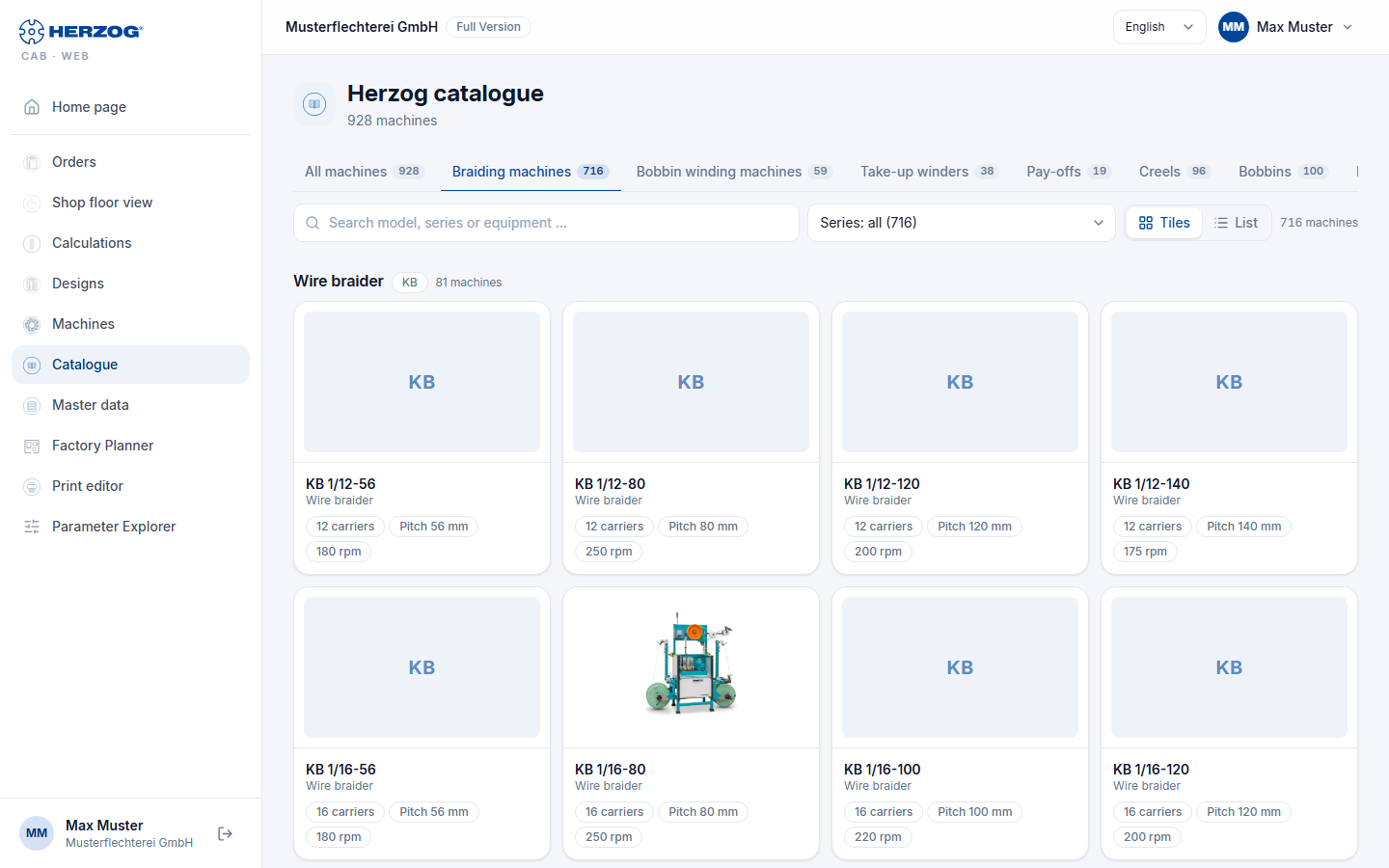
| Element | Meaning |
|---|---|
| Tabs | All machines, Braiding machines, Bobbin winding machines, Take-up units, Pay-off units, Creels, Bobbins and Drums, each with the number of entries. |
| Search | Filters by type, series or equipment; for bobbins and drums by dimension, material, carrier or article number. |
| Series | Narrows the list down to one series (e.g. Wire braider · KB); the number is shown in brackets. |
| Tiles / List | Cards with image and key figures, or a table whose columns can be sorted by clicking the heading. The choice is saved. |
| Card / row | A click opens the details of the model. |
Details of a machine model
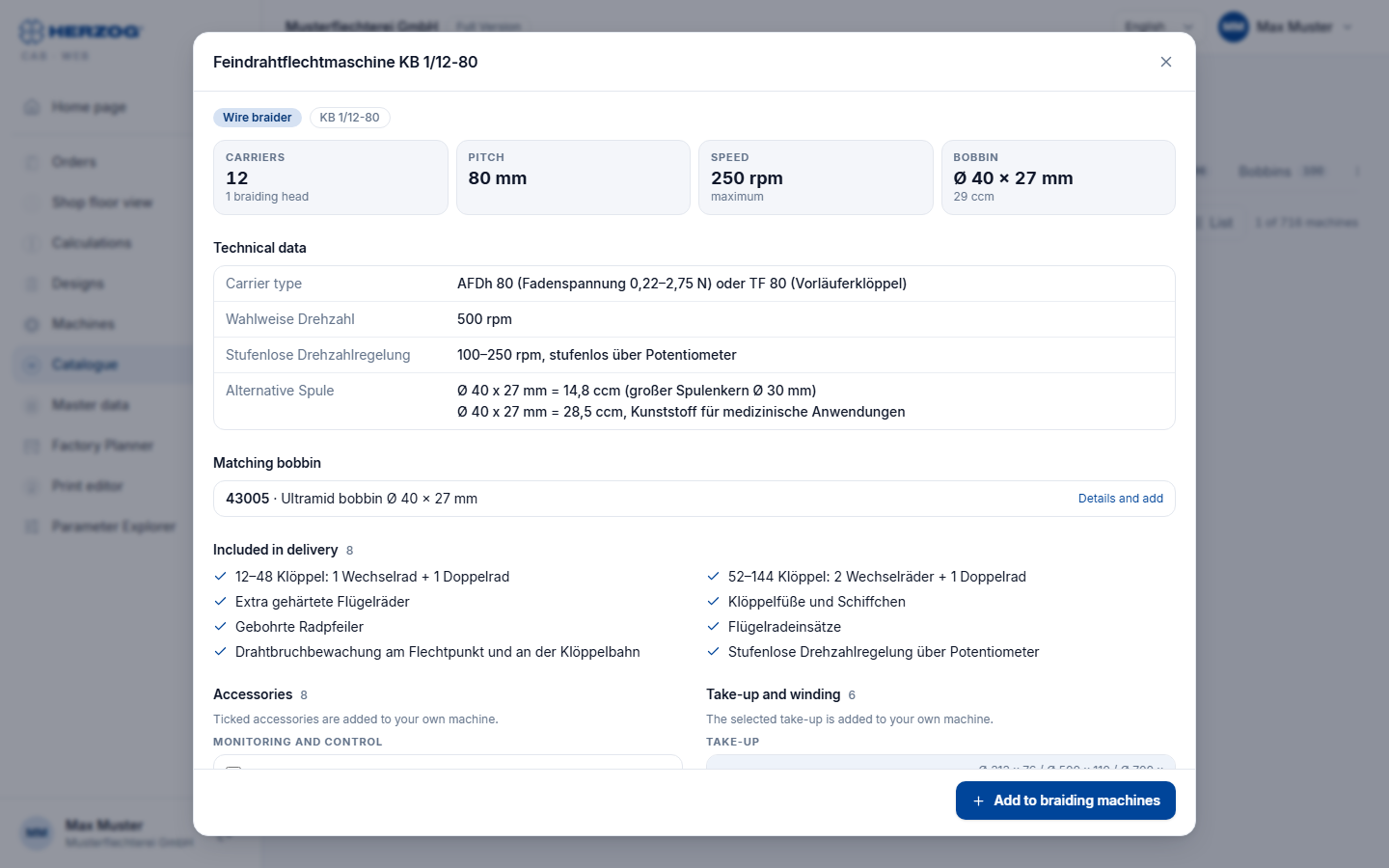
From top to bottom, the details show:
| Area | Content |
|---|---|
| Head | Image (if available), series, model designation and the key figures per machine type — braiding machine: Carriers (with number of braiding heads), Pitch, Speed, Bobbin; bobbin winding machine: Winding heads, Bobbin size, Traverse width, Speed; take-up unit: Drum diameter or Reel diameter and Reel volume, Traverse width, Load capacity, Braid diameter; pay-off unit: Drum diameter, Drum width, Load capacity, Material diameter; creel: Pay-off positions, Pay-off, Bobbin. |
| Technical data | The remaining data of the model (e.g. carrier type, traversing, control, version). The Setup of a braiding machine is only shown here if there is no choice — otherwise you select it below when creating the machine. |
| Matching bobbin | Braiding machines only: the catalogue bobbin with the dimensions of the machine. A click shows its details; there you adopt it into your bobbins with Add to bobbins. |
| Included in delivery | What belongs to the machine as standard. |
| Accessories | The available accessories, grouped (e.g. Monitoring and control, Guarding and cabin). Check what your machine has — ticked accessories are added to your own machine. A click anywhere on the row sets or removes the check mark; checked rows are highlighted. |
| Take-up and winding | Braiding machines only: the take-up and winding variants with their dimensions. Exactly one is selected (radio button); the first one (standard) is preselected. The selected take-up is added to your own machine. |
| Notes | Additional information, e.g. for take-up units. |
Without the permission Edit master data, accessories and take-up can only be viewed, and the area for creating the machine is missing.
Creating as own machine
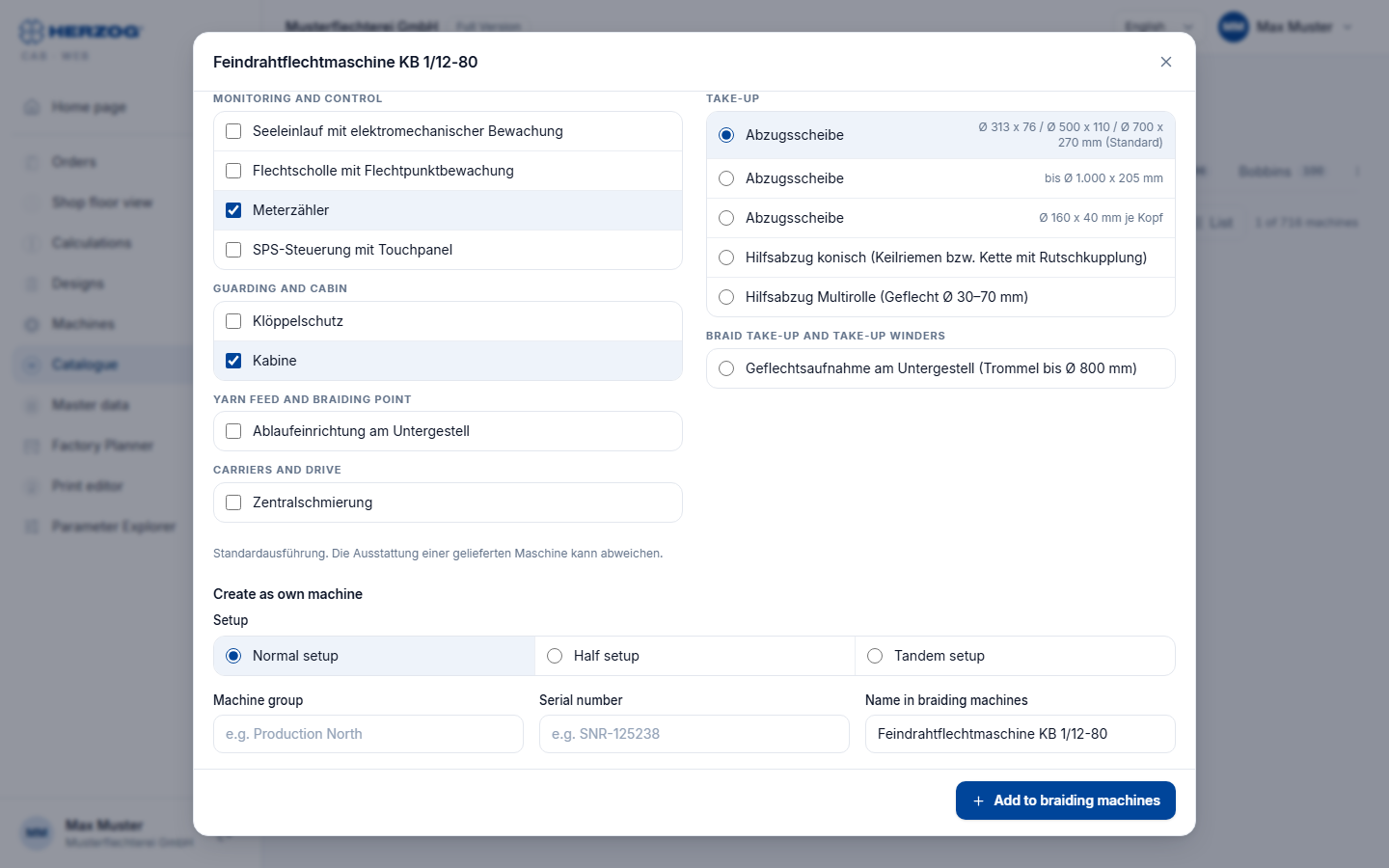
At the end of the details you only enter what the catalogue cannot know:
| Field | Meaning |
|---|---|
| Setup | Only for braiding machines with several setups: Normal setup, Half setup or Tandem setup side by side to click. The setup with which the machine usually runs is preselected. |
| Machine group | Freely assignable grouping (e.g. Production North). |
| Serial number | Serial number of your machine. |
| Name in braiding machines | The name in the Machine Fleet, prefilled with the catalogue name. For the other machine types the field is called Name in bobbin winding machines, Name in take-up units, Name in pay-off units or Name in creels. |
| Button | Effect |
|---|---|
| Product page | Opens the product page of the model on herzog-online.com (not for all models). |
| Add to braiding machines | Creates the machine immediately in the Machine Fleet — with the technical data and the image from the catalogue, the checked accessories, the selected take-up and the selected setup. For the other machine types the button is called Add to bobbin winding machines, Add to take-up units, Add to pay-off units or Add to creels. A message confirms the creation, and the details close. |
Assigning bobbins
A braiding machine created from the catalogue does not have a bobbin yet. Open it in the Machine Fleet and select at least one in the Technical tab under Bobbins — without a bobbin, the machine page reports Please select at least one bobbin. when saving.
Adding details later
You change location, year of manufacture, dimensions, documents and all technical values afterwards on the machine page. Accessories and take-up can also be adjusted there.
Bobbins and drums
The Bobbins and Drums tabs list Herzog's bobbins and drums with dimensions, material and article number. The details show the technical data; Add to bobbins or Add to drums adopts the entry into your master data. If it is already there, the dialog says so and the button stays gray.
Related pages
- Machines (web app) — Machine Fleet and machine page
- Braiding machines (master data) · Bobbin winding machines (master data) — meaning of the machine data
- Master data (web app) — bobbins and drums
- Herzog catalogue (desktop app) — the same catalogue in the program