Media
Reference — the central media library: upload, replace and delete images and trace where they are used.
What you use this area for
The Media library centrally manages all images that you use in Herzog CAB – for example machine images, box views or logos for print templates. Instead of storing images several times, you maintain them once here and select them in the appropriate places.
The screen at a glance
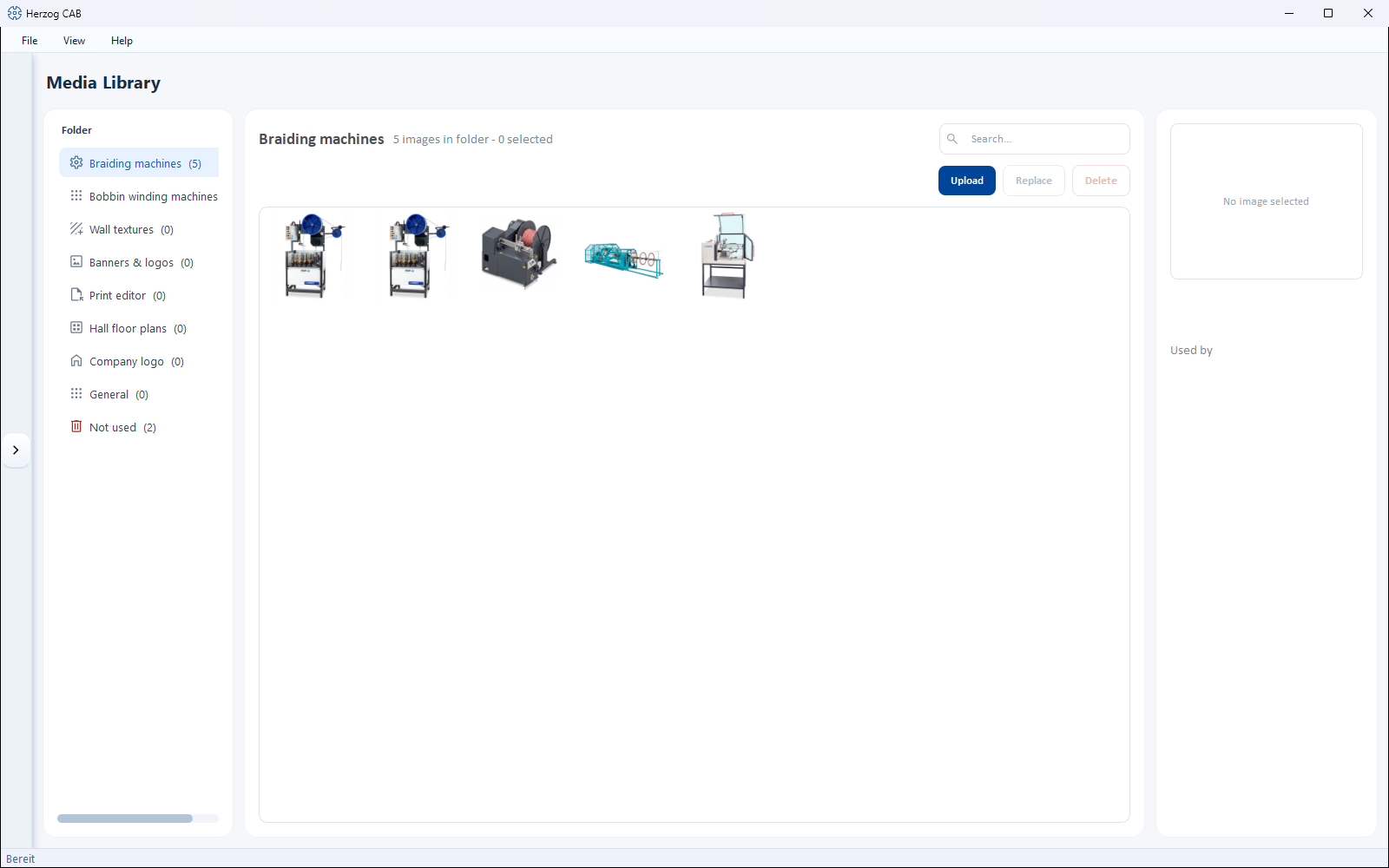
- Folder (left) – thematic stores (e.g. for braiding machines, bobbin winding machines or the print editor), each with the number of images contained. An additional entry Not used filters for images that are not referenced anywhere.
- Gallery (center) – preview of the images in the selected folder, with a search field above it.
- Detail (right) – for the selected image, the Used by area, which shows where the image is used.
Controls in detail
| Button | Effect |
|---|---|
| Search | Filters the gallery of the current folder. |
| Upload | Adds a new image to the library. |
| Replace | Swaps the selected image for another file – all references are kept. |
| Delete | Removes the selected image. The dialog Confirm deletion appears. |
Before deleting: check usage
The Used by area shows where an image is used. In the Not used folder you find images that you can delete safely because they are no longer referenced anywhere.
Use
The images stored here are available for selection in the appropriate places – via the media selection dialog, e.g.:
- as Machine image or box view for the braiding machines and bobbin winding machines,
- as Image/logo in print templates,
- as Company logo in the company master data.
File location
Media are stored in the workspace (see File locations) and are therefore available to all operators of the same workspace.
Related pages
- Braiding machines and bobbin winding machines – assign images and box views
- Print template elements – use images in templates