Master data (web app)
Reference — The Master data module of the web app: materials, bobbins, drums, colors and customers as tabs with list and form
What you use this area for
Under Master data you maintain the basic data that orders, calculators and the Designer access. Five tabs: Materials, Bobbins, Drums, Colors, Customers. Machines have their own module (Machines), floor plans are in the Factory Planner, images and documents in the media library, designs under Designs.
The meaning of the fields corresponds to the desktop app — see Materials, Bobbins, Drums, Colors and Customers.
Which tabs you see
Materials, Bobbins, Drums and Colors require the permission View master data, the Customers tab the permission View orders. With Herzog CAB Designer there are only Colors and Customers.
The screen at a glance
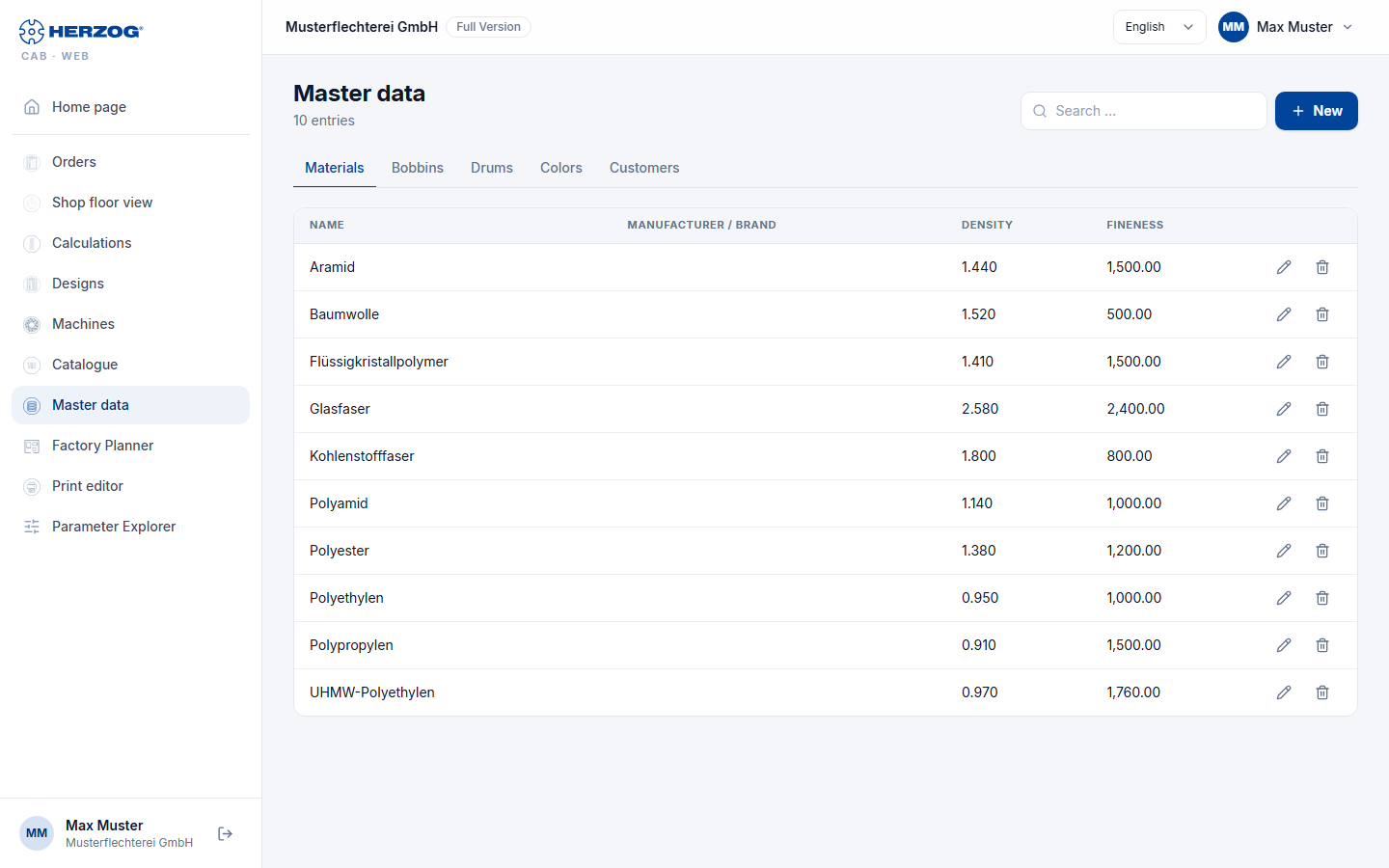
Every tab has the same structure:
| Element | Meaning |
|---|---|
| New | Opens the empty form for a new entry. |
| From Herzog catalogue … | Only in the Bobbins and Drums tabs and with the permission to edit: opens the Herzog catalogue in the matching tab; there you adopt Herzog bobbins and drums. |
| Search … | Filters the list live; the number of hits is shown next to it (n entries). |
| List | Table with the most important columns; on a smartphone, cards with title, subline and two key figures. |
| Edit / Delete | Opens the form or removes the entry after a confirmation prompt (The entry goes to the recycle bin and can be restored from there.). See Recycle bin. |
| Form | Opens as a dialog (Save / Cancel); required fields are marked. An entry that someone else has just changed can only be saved after reloading. For a saved entry, Versions with its earlier versions is shown at the bottom left, see Versions and recycle bin. |
The tabs in detail
Materials
| Field | Meaning |
|---|---|
| Name (required) | Designation of the material. |
| Manufacturer / brand | Free text. |
| Density (required) | in g/cm³, three decimal places. |
| Fineness and Fineness unit | Titer in tex, dtex, den, Nm or Ne. |
| Note | Free text. |
Bobbins
| Field | Meaning |
|---|---|
| Name | Leave empty: the display name is generated from the dimensions. |
| Outer diameter, Core diameter, Winding Length (required) | in mm. |
| Horngear diameter | in mm. |
| Volume | in cm³; calculated from the dimensions if empty. |
| Machine types (required) | Multiple selection as in the desktop app: Round braider, Square braider, Horizontal braider, Carbon fiber braider, Wire braider, Packing braider. |
If the list is empty, it shows No bobbins yet. Add them with "From Herzog catalogue …".
Drums
| Field | Meaning |
|---|---|
| Name | Leave empty: the display name is generated from the dimensions. |
| Article number | Your own number. |
| Material | Wood, Steel, Plastic or Other. |
| Outer diameter, Core diameter, Traverse width (required) | in mm. |
| Winding diameter | in mm; leave empty if winding goes up to the flange edge. |
| Drum width | in mm; leave empty if it corresponds to the traverse width. |
| Bobbin volume | in cm³; calculated from the dimensions when saving if empty. |
| Empty weight | in kg; without this figure there is no total weight of the full drum. |
| Quill bore, Driver pin, Center to pin distance | in mm, optional. |
| Note | Free text. |
The list shows name, article number, outer and core diameter, traverse width, bobbin volume and empty weight. If it is empty, it shows No drums yet. Add them with "From Herzog catalogue …". The drums are available for selection in the calculators Product length per drum and Drum and take-up unit selection.
Colors
| Field | Meaning |
|---|---|
| Name (required), Code | Designation and identifier. |
| Color value (required) | Color picker. |
| Palette, Pantone, Reference system | Assignment to palette and reference system. |
| Notes | Free text. |
The colors are available as a palette in the Designer.
Customers
| Field | Meaning |
|---|---|
| Customer number, Company (required), Name, Contact person | Basic data. |
| Street, ZIP code, City, Country | Address. |
| Phone, Mobile, Email, Website | Contact. |
| Private customer | Flag. |
| Notes | Free text. |
Related pages
- Master data (desktop app)
- Machines (web app) · Herzog catalogue (web app) · Media library (web app)
- Import from the desktop app — adopting master data from the desktop app