Master data
Reference — Overview of all master data areas
In Master data you store all data that you need again and again in calculations, in the Designer and in orders: customers, designs, machines, materials, bobbins, drums and colors. Master data belongs to the workspace – it is therefore shared by all operators who work with the same workspace.
You reach the areas via the navigation item Master data. It first opens an overview with one tile per master data area.
The areas
-
Customers
Company and contact details of your customers for orders and print templates.
-
Designs
The design library: manage saved braid patterns in folders.
-
Braiding machines
Create braiding machines – with category, braid type, carriers, image and documents.
-
Floor plans
Draw hall floor plans (walls and areas) for the Factory Planner.
-
Media
Central image store for machines, print templates and the company.
-
Materials
Yarns, wires, strands and threads with density and titer.
-
Bobbins
Bobbin formats (dimensions and volume) and their machine types.
-
Drums
Drums of the take-up units with dimensions, bobbin volume and empty weight.
-
Bobbin winding machines
Bobbin winding machines of the series SP, SPA and HLM with winding technology.
-
Take-up units
Take-up units with drum dimensions, load capacity, design and reel.
-
Pay-off units
Pay-off units with drum dimensions, load capacity, drum lift and unwinding tension.
-
Creels
Pay-off creels and pay-off stands with pay-off positions, bobbins and yarn tension.
-
Colors
Color palette for the Designer, with RAL and Pantone reference colors.
General operation
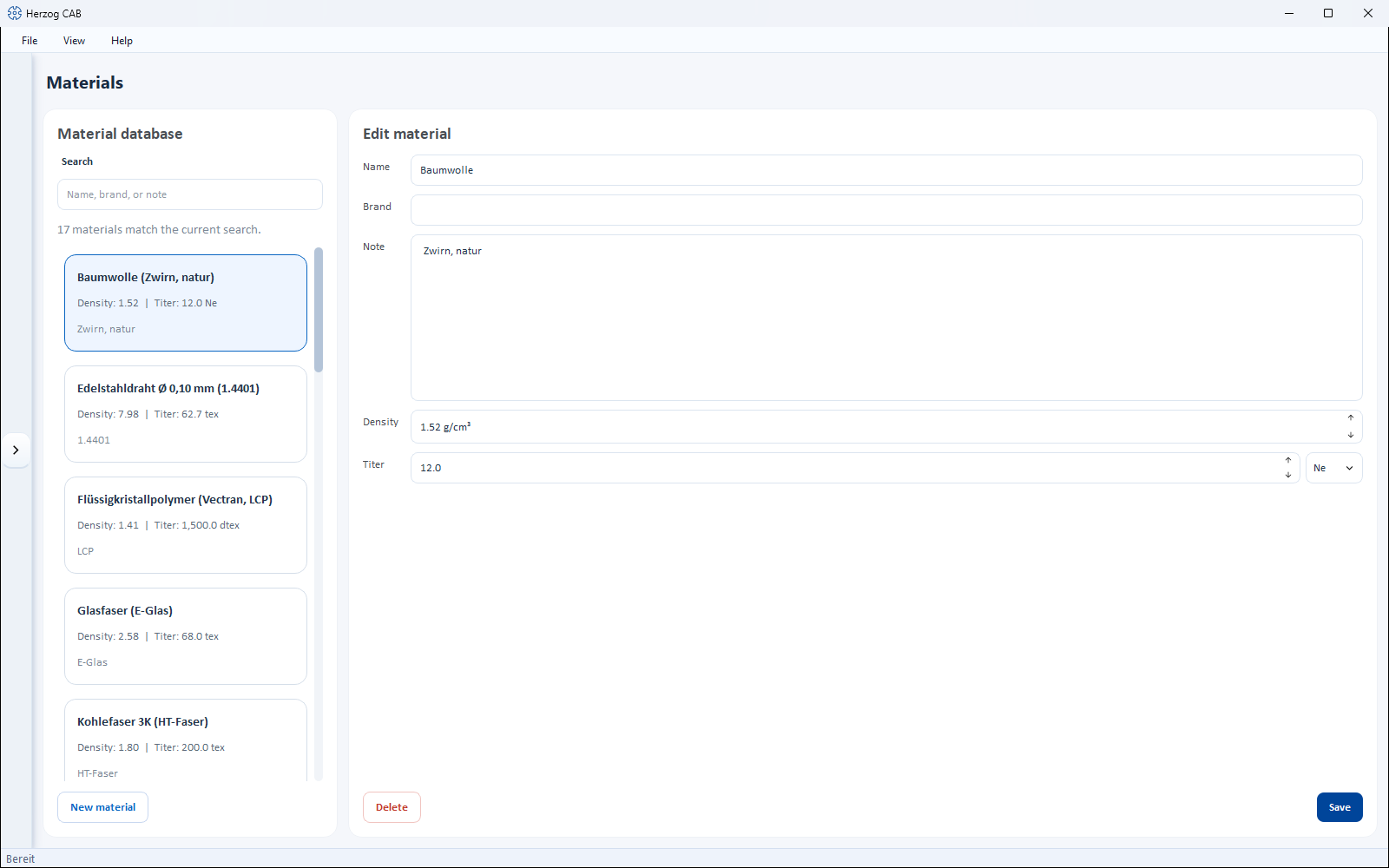
Most master data editors share the same layout:
- List on the left – a search field and all existing entries as cards. Below the search field you see how many entries match the current search.
- Detail view on the right – the properties of the entry selected in the list.
- Buttons – for creating (e.g. New material, New Bobbin), Save and Delete (with confirmation prompt).
How to search and filter lists is described for all areas in Search and filter.
Special cases
Some areas differ from this layout: Designs is a folder library (like a file explorer); Braiding machines, Bobbin winding machines, Take-up units, Pay-off units and Creels show their machines as cards and open a separate dialog for creating and editing.
Bobbins, drums and machines from the Herzog catalogue
Since version 2.1.0, new workspace folders start without supplied bobbins and drums. You take over Herzog bobbins and drums with From Herzog catalogue …; you create Herzog machines directly in the Herzog catalogue.
Permission required
To create, change or delete master data you need the permission Edit master data. Operators with read-only permission can only view the data. In the trial version, customers, designs and machines are limited in number.