Media library (web app)
Reference — The "Media library" page in the user menu of the web app: uploaded images and documents of the account
What you use this area for
The media library collects all files of the workspace that are not data themselves: machine images and box views, documents attached to machines, floor plan images of the Factory Planner, the company logo and images for print templates. What you upload on a machine page or in the Factory Planner ends up here automatically; conversely, you can upload files in advance and then select them in the appropriate places. The library corresponds to Media in the desktop app.
You open the page via User menu > Media library.
The screen at a glance
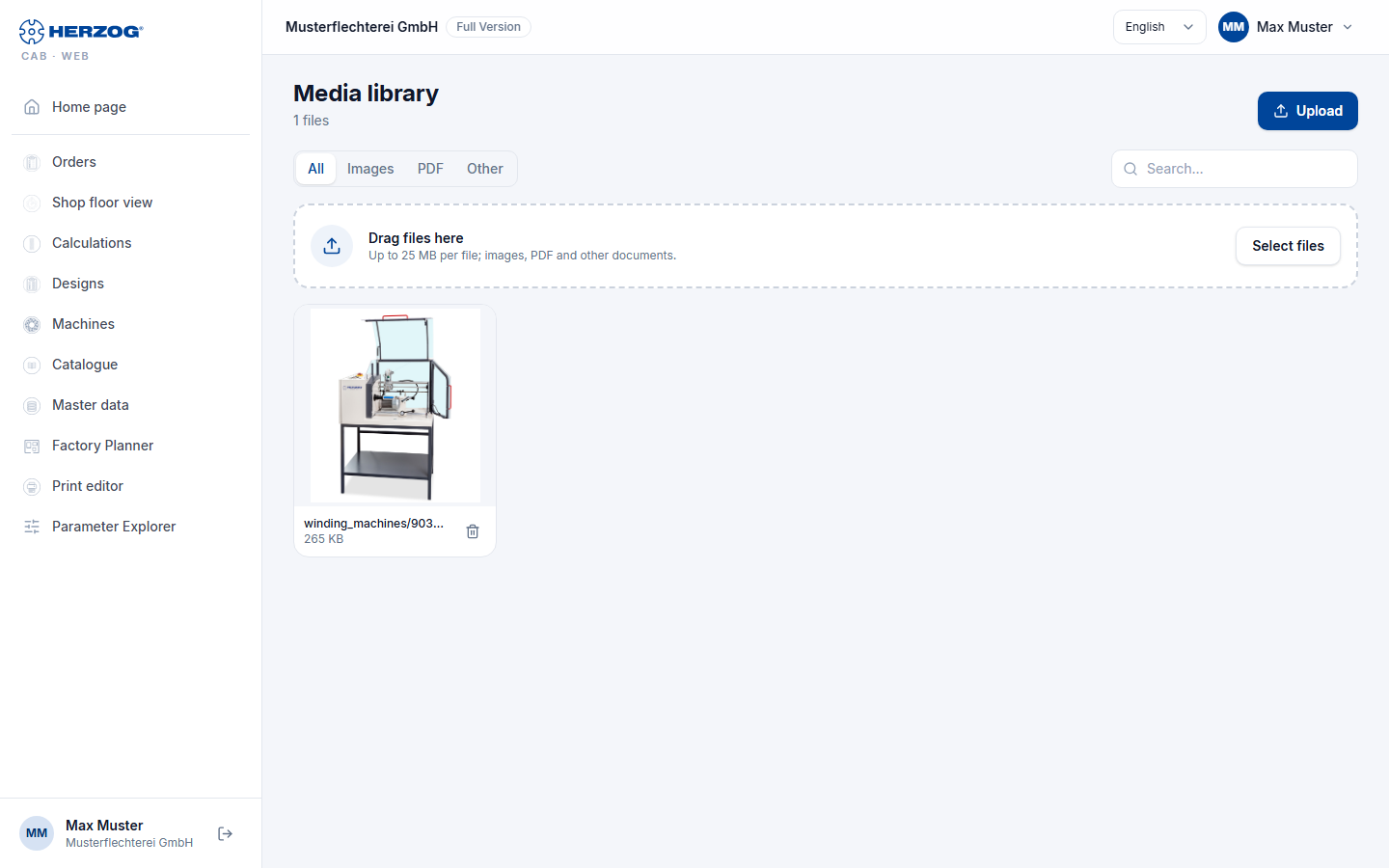
| Element | Meaning |
|---|---|
| Upload | Selects one or more files; alternatively, drag files onto the list. |
| Search field | Filters by file name. |
| Filter All / Images / PDF / Other | Filters by file type; the number of hits is shown next to it (n of m files). |
| List | Name with preview, Type, Size, Uploaded (date) and group (e.g. machines, floor plans). |
| Open | Shows the file in a new tab. |
| Delete | Removes the file after a confirmation prompt — also wherever it is used. |
To upload and delete you need the permission of the respective group (e.g. Edit master data for machine images). Identical files are stored only once when uploaded.
Related pages
- Media (desktop app)
- Machines (web app) — images and documents attached to machines
- Factory Planner (web app) — floor plan images
- Company (web app) — company logo