Materials
Reference — Maintain yarns, wires, strands and threads with density and titer; the values can be taken over by selection in calculations and orders.
What you use this area for
In the Material editor you maintain all yarns, wires, strands and threads that you use again and again in calculations and orders. Once created, the stored values (density and titer) can be taken over by selection in every calculation – this saves typing and avoids input errors.
The screen at a glance
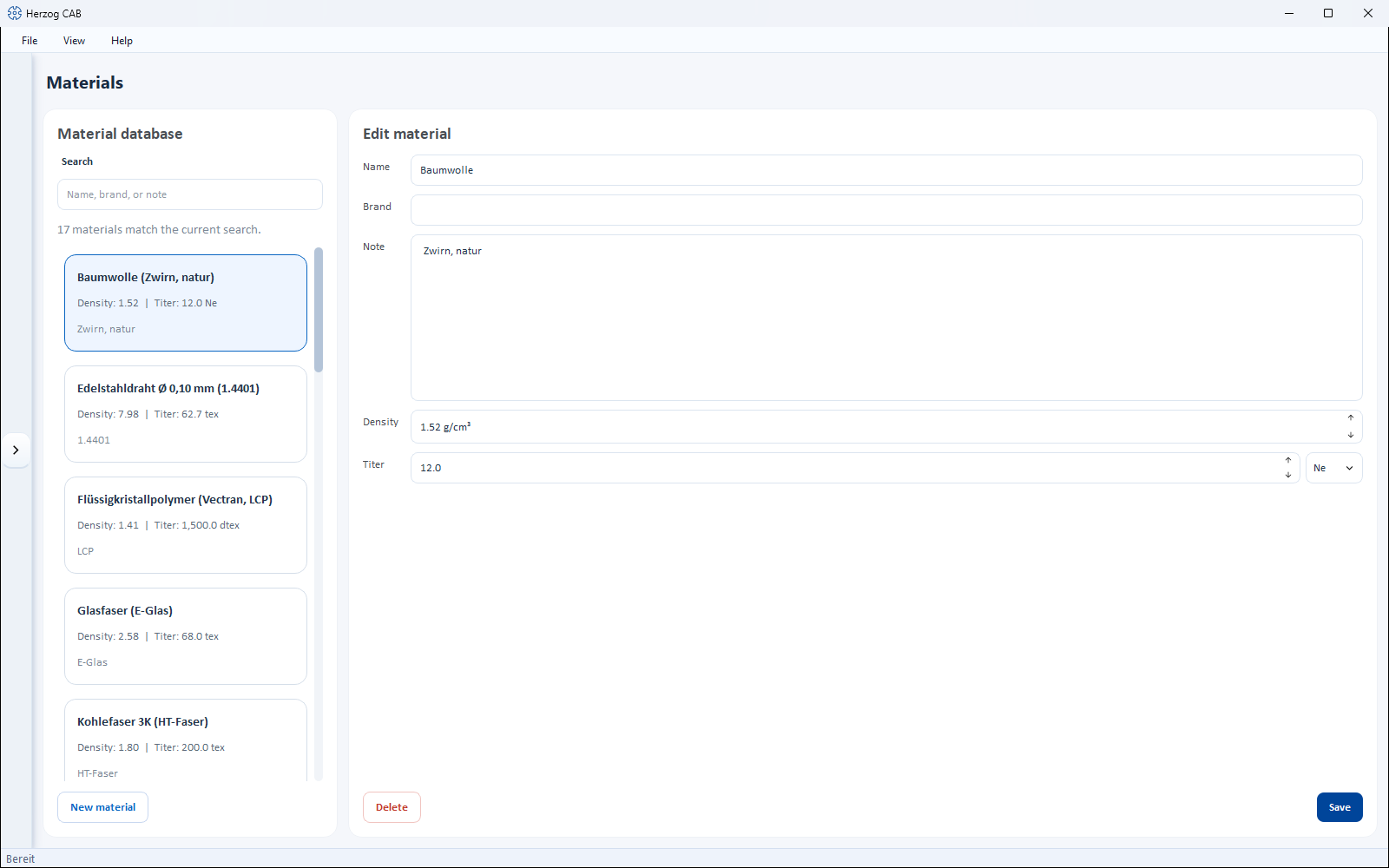
Like most master data editors, the page is split into two parts:
- Material database (left) – search field and list of all existing materials. Below the search field you see how many materials match the current search. Each card shows name, density and titer.
- Edit material (right) – the properties of the material selected in the list.
Controls in detail
Fields of a material
| Field | Unit | Description |
|---|---|---|
| Name | – | Designation of the material (e.g. "Aramid (Kevlar, Para-Aramid)"). |
| Brand | – | Optional manufacturer or brand name (e.g. "Kevlar"). |
| Note | – | Optional remark. |
| Density | g/cm³ | Material density with two decimal places. Basis for the weight calculation, among other things. |
| Titer | tex, dtex, den, Nm, Ne | Fineness of the material. You choose the unit in the selection field to the right of it. |
A material has no fixed diameter
Materials are described by Density and Titer, not by a fixed diameter. The material diameter results from these values and is determined when needed in the calculation Material diameter.
New material
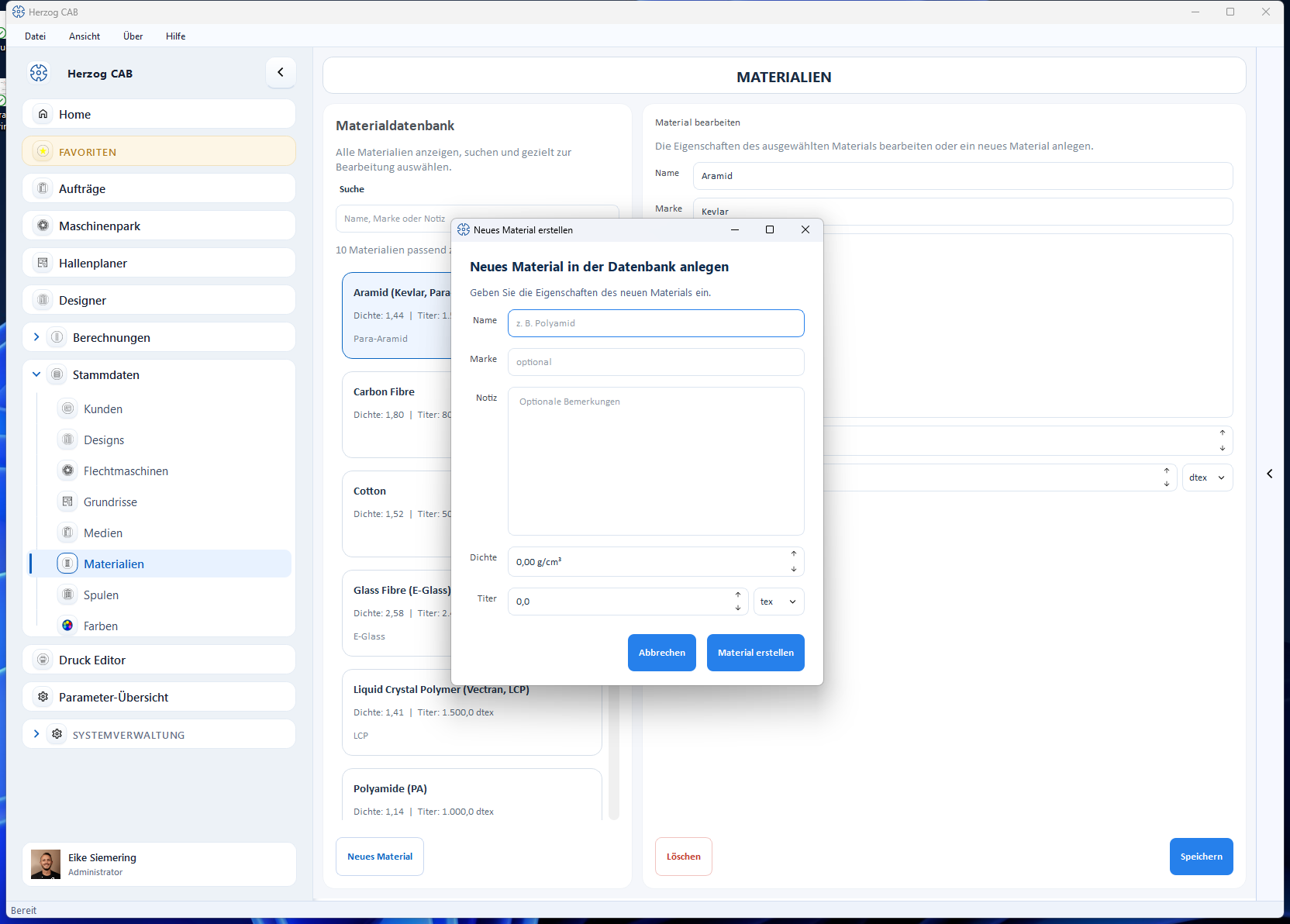
The button New material (bottom left) opens the dialog Create a new material in the database. There you enter name, optionally brand and note as well as density and titer, and confirm with Create Material. The new material appears immediately in the list.
Delete and save
- Save – saves the changes to the selected material.
- Delete – removes the selected material (with confirmation prompt).
Search
Type a name, a brand or part of the note into the Search field – the list is filtered immediately.
Use in calculations
In many calculations you can select a material from the database instead of entering values manually; density and titer are then taken over automatically. This applies, for example, to:
Maintain frequent materials properly once
Create recurring materials once with the correct density and correct titer. In every calculation you then only select them – this is faster and more reliable than manual input.