Roles and permissions
Reference — The permission system of Herzog CAB: standard roles, individual permissions and custom roles.
What you use this area for
Herzog CAB has a role-based permission system. Instead of setting individual permissions per user, you assign roles to users — the role bundles the permissions. You open the management via System administration > Roles.
Permission required
Only users with the Manage roles permission can see and use this area.
The screen at a glance
On the left is the Role list with a search field (Name or Id) and the New role button, on the right the editor of the selected role. Each list entry shows the role name, the number of permissions (or all permissions) and whether it is a Default or custom role.
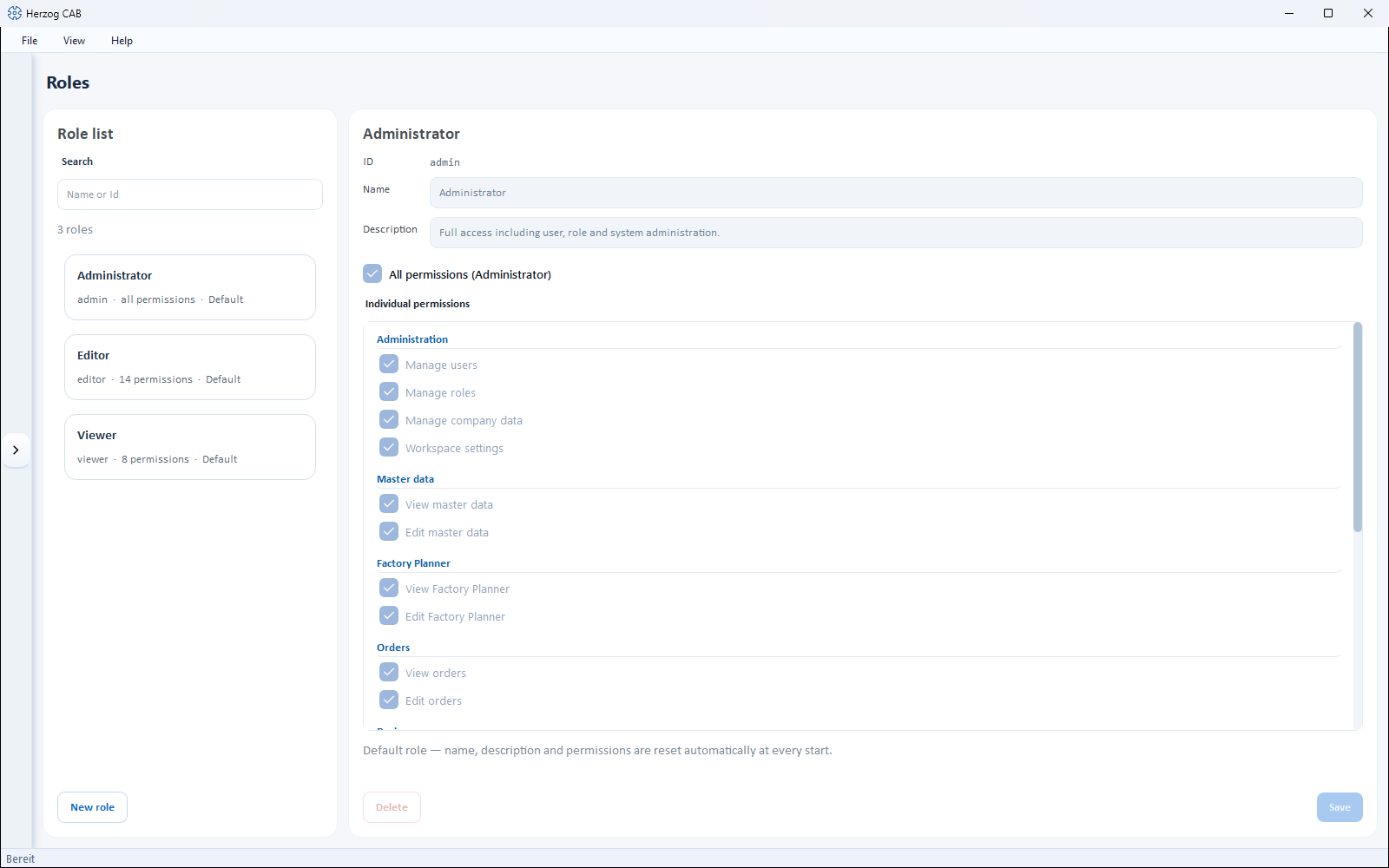
Built-in roles
Herzog CAB comes with three standard roles:
| Role | Target group | Permissions |
|---|---|---|
| Administrator | IT / person responsible for the subject area | Full access including user, role and system administration ("All permissions"). |
| Editor | Data maintenance / production planning | May work fully in all areas: edit master data, orders, Designer, print templates, run calculations. |
| Viewer | Trainees / guests | Read-only access to all areas; may additionally run calculations and print/export, but not create or change any data. |
Standard roles are read-only
For standard roles, name, description and permissions are automatically reset at every program start — any adjustments to them are lost. If you need different permissions, create a custom role.
Roles in the account model
If Herzog CAB obtains its licence from the customer account, every user brings their role from the account: Administrator in the account = global administrator in the program, Editor and Viewer = the standard roles of the same name; users without a role work as editors. This assignment applies in all profiles and is updated at every online sign-in or via Refresh from customer account in the user management. Custom roles that you create here can additionally be assigned to an account user per profile. In the web app, custom roles are maintained separately — see Roles (web app).
Individual permissions
A role is made up of individual permissions, grouped by area:
| Area | Permissions |
|---|---|
| Administration | Manage users · Manage roles · Manage company data · Workspace settings · Release locks |
| Master data | View master data · Edit master data |
| Factory Planner | View Factory Planner · Edit Factory Planner |
| Orders | View orders · Edit orders |
| Designer | View designer · Edit designer |
| Braiding Simulator | View Braiding Simulator · Edit Braiding Simulator — only if Herzog CAB includes the Braiding Simulator, see Licence and rights |
| Print templates | View print templates · Edit print templates |
| Calculations / Export | Run calculations · Print / Export |
| Expert tools | Open Parameter Explorer |
Release locks allows you to end another user's edit lock, for example when a colleague has an order open and cannot be reached. Of the built-in roles only the Administrator has it.
With the All permissions (Administrator) option, a role receives all permissions across the board — the individual permission check boxes are then irrelevant.
Permissions also control the navigation
Areas for which the View permission is missing do not appear at all in the left navigation for this user — see System administration at a glance.
Creating and editing custom roles
- Click New role and, in the dialog, enter ID (only
lowercase letters, e.g.
supervisor), Name and Description. - In the editor, check the desired permissions under Individual permissions — or set All permissions (Administrator). At least one permission is mandatory.
- Save stores the role.
Delete removes a custom role. If the role is still assigned to users, Herzog CAB points this out before deleting.
Use roles sparingly
Start with the standard roles. Custom roles are only worthwhile for special cases — e.g. a role that may run calculations but not print.
Related pages
- Users — assigning roles per profile
- Authentication — assigning roles automatically via directory groups
- Setting up users and roles