Company (web app)
Reference — The "Company" page in the user menu of the web app: company data and logo for print templates
What you use this area for
The company data appears on printouts — as a letterhead, in the footer
or wherever a print template uses the placeholders {{company.name}},
{{company.street}}, {{company.logo}} etc. The page corresponds to
Company in the system administration of the desktop app; both
write the same workspace data.
You open the page via User menu > Company. To make changes you need the permission Manage company data; otherwise the page is read-only.
The screen at a glance
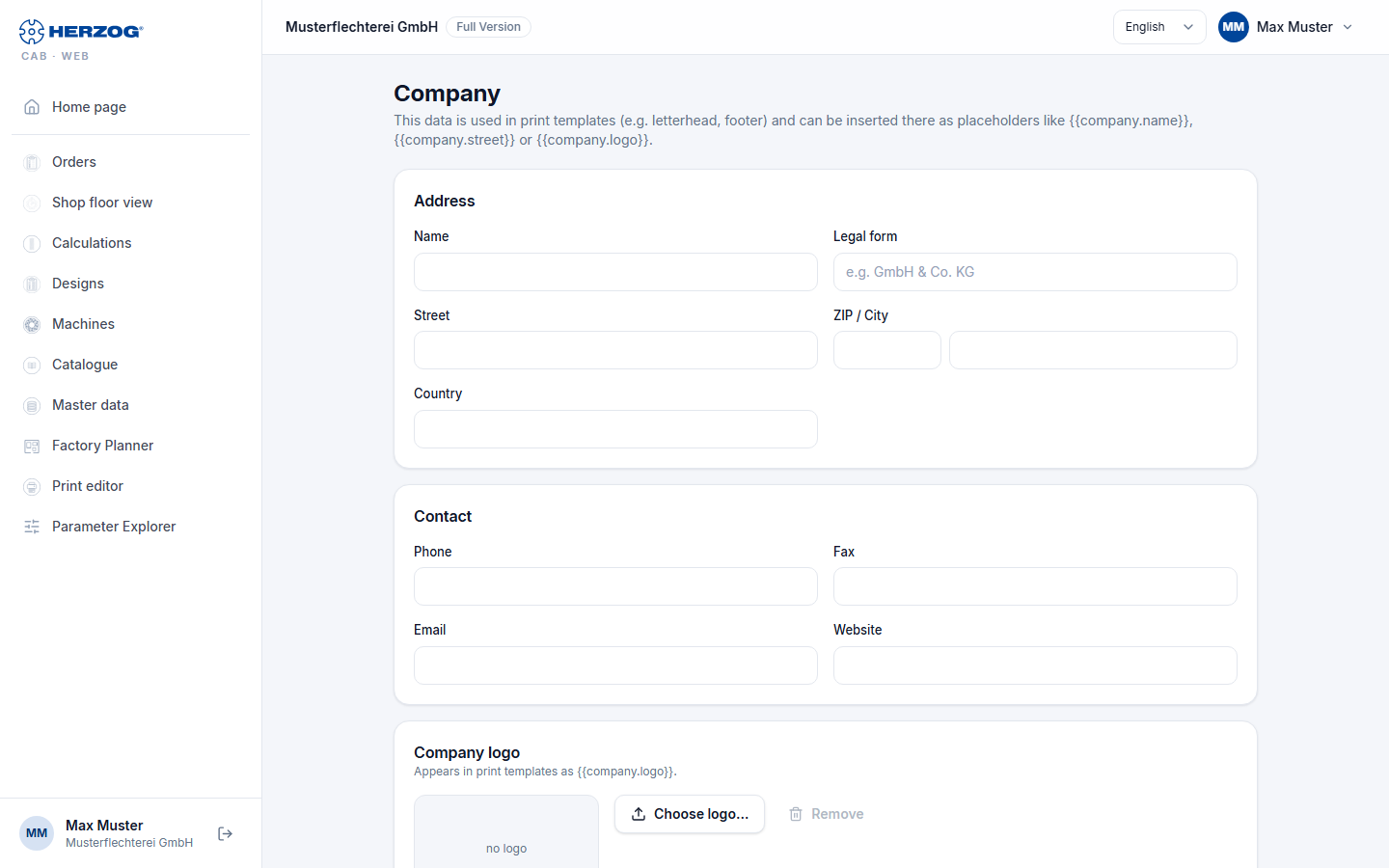
| Card | Fields |
|---|---|
| Company | Name, Legal form. |
| Address | Street, ZIP / City, Country. |
| Contact | Phone, Fax, Email, Website. |
| Legal — Taxes & commercial register | VAT ID, Tax number, Commercial register no., Register court, Managing director. |
| Company logo | Preview of the logo; Choose logo… uploads an image or selects one from the media library, Remove deletes the assignment. Appears in print templates as {{company.logo}}. |
Save applies all cards; the confirmation reads Company data saved.
Related pages
- Company (desktop app)
- Printing (web app)
- Elements and placeholders (print editor) — the placeholders in detail