Request licence
Reference — The “Request licence” page in the licence portal: requesting more seats, a renewal or a different module from Herzog
What you use this area for
Here administrators send a request directly to Herzog. For example, if you need more seats, want to extend an activation or would like a different module. Herzog sees the request immediately, activates it, and the change appears in your account under My account. The invoice comes from sales as usual.
You can also order the annual subscription itself, buy additional seats or renew directly online without a request, see Subscription and ordering. The request is intended for everything else.
The page has no menu item of its own. You open it from My account via Request to Herzog, Request additional licence or Renew.
Administrators only
Editors and viewers see a note instead of the forms, asking them to contact an administrator of their account.
The screen at a glance
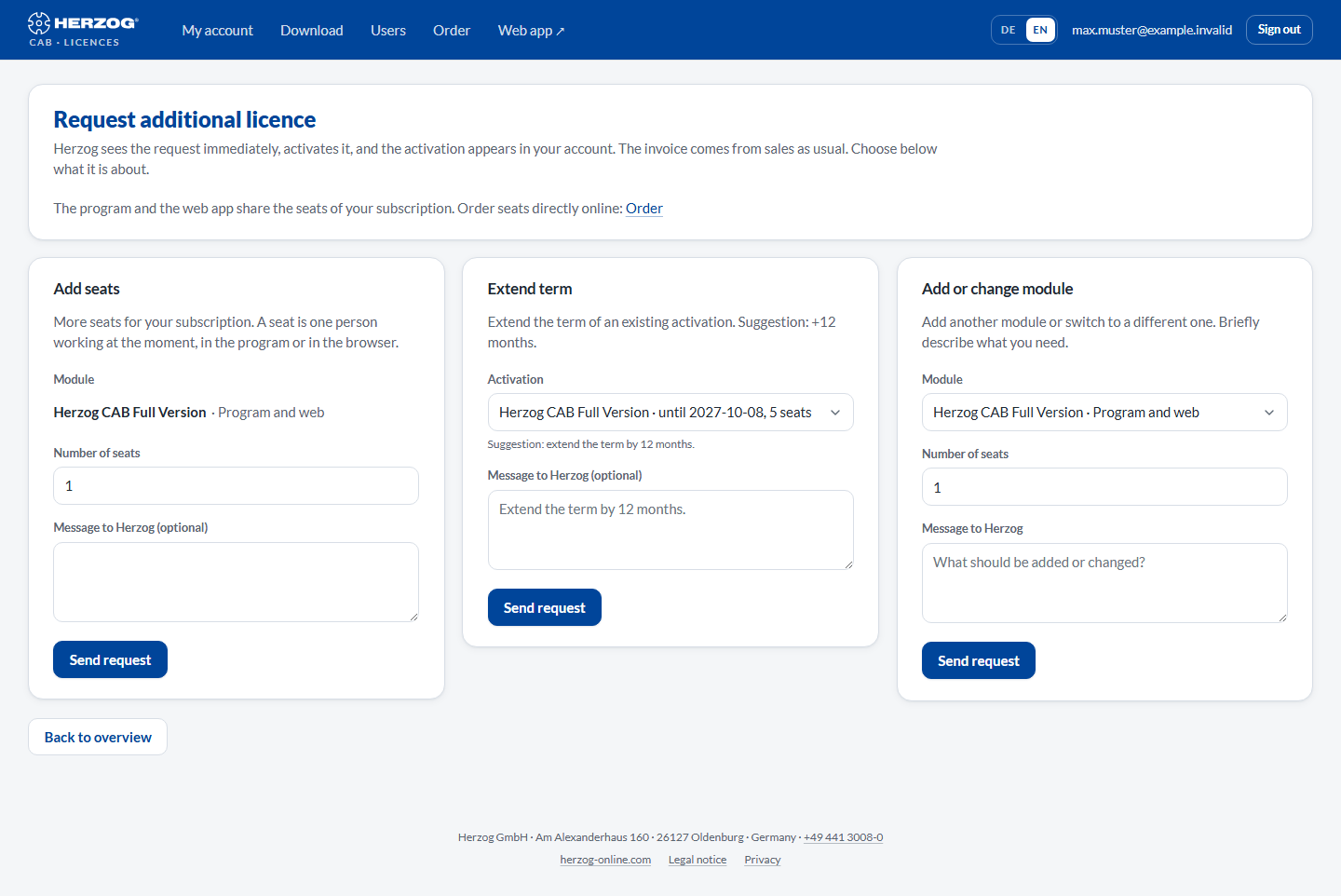
At the top is the heading Request additional licence with the note The program and the web app share the seats of your subscription. If ordering online is possible, the Order link leads directly to the order. Below it follow three request types as separate sections. You only fill in the appropriate one and click Send request there.
Controls in detail
Add seats
More seats for your subscription. A seat is one person working at the moment, in the program or in the browser.
| Field | Meaning |
|---|---|
| Module | The subscription to which the seats should apply: Herzog CAB Full Version · Program and web or Herzog CAB Designer · Program and web. If your account has exactly one of them, it is fixed. |
| Number of seats | How many additional seats are wanted (1 to 100). |
| Message to Herzog (optional) | Free text, for example a purchase order number or questions. |
Extend term
For an existing activation. The suggestion is +12 months. Write in the message if you would like something else. You can also reach this section directly via Renew in the module table under My account. The activation is then already preselected.
| Field | Meaning |
|---|---|
| Activation | The activation to be extended, with term and seats. If there is no active activation that could be extended, a note appears here. |
| Message to Herzog (optional) | Suggestion: "Extend the term by 12 months." |
Add or change module
Add another module or switch to a different one. For example from the trial version to the full version or from the Designer to the full version.
| Field | Meaning |
|---|---|
| Module | Herzog CAB Full Version · Program and web or Herzog CAB Designer · Program and web. |
| Number of seats | How many seats you need. |
| Message to Herzog | Briefly describe what should be added or changed. |
After sending
- The request appears under My account → Requests with the status in progress.
- Herzog completes or answers it. You receive an e-mail, and the status changes to done or declined (with reply text).
- A completed request takes effect immediately: new seats are available at the next program start, a renewal moves the end date, a new module appears in the module table.
Related pages
- My account: status of requests, modules and seats
- Subscription and ordering: ordering the annual subscription directly
- Customer account and invitation: which modules are available
- Contacting support: if you would rather talk to someone