Settings (dialog)
Reference — The Settings dialog under File > Settings: tabs, layout and what is set where.
What you use this area for
The Settings dialog bundles the program settings that are not located in the System administration: language and display, diagnostics and privacy, the reference of the braiding angle, the Designer defaults and the import of legacy data, licence and cloud as well as the built-in web server. You open it via the File > Settings menu or the gear icon at the bottom of the navigation. The dialog no longer has its own header; its name appears in the title bar of the window.
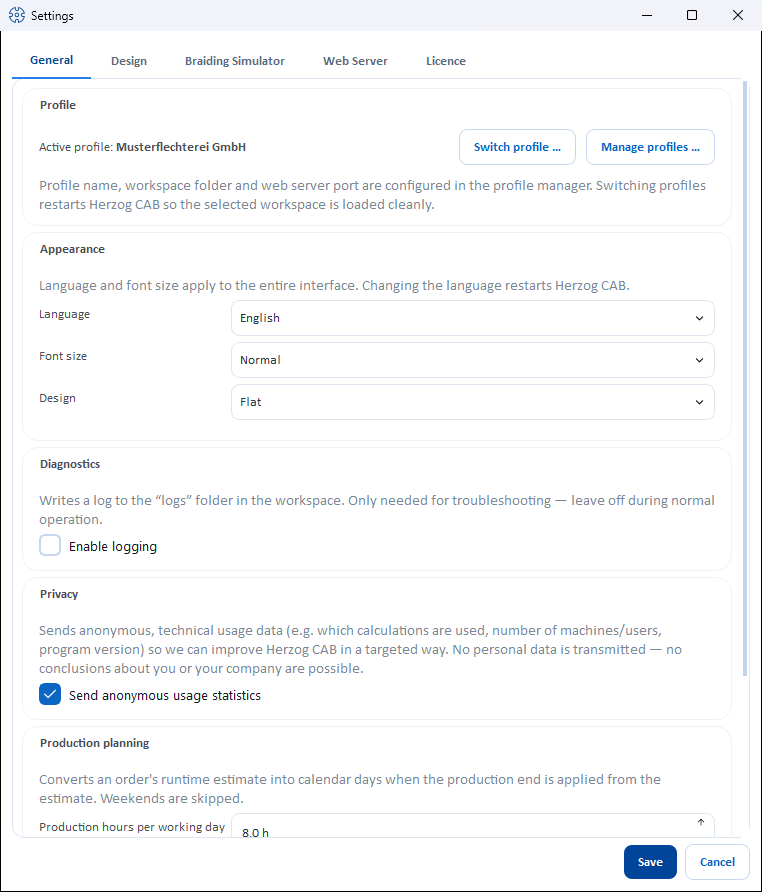
The tabs at a glance
| Tab | Content |
|---|---|
| General | Profile (active profile, Switch profile …, Manage profiles …), display (language, font size, design), diagnostics, privacy, production planning and braiding angle — see General |
| Design | Defaults for new designs, view, animation and saving in the Designer as well as the import of legacy design data — see Design |
| Braiding Simulator | Only with the Braiding Simulator: personal defaults for playback and the 3D preview — see 3D preview and take-up |
| Licence | Account model only: licence status, account, offline lease, signing out the computer and cloud upload to the web app — see Licence and cloud |
| Web Server | Switching on and port, password (mandatory for access from the network), server status, IP selection and QR code — see Web server and QR code |
No more “Storage locations” tab
Up to version 2.1.0, there was a Storage locations tab with the list of all file paths. This overview is available in full under System administration > Storage location; the tab has therefore been removed.
Dialog buttons
The two buttons are located side by side at the bottom right.
| Button | Description |
|---|---|
| Save | Applies the settings of all tabs and closes the dialog; on success Herzog CAB reports "Settings saved successfully." |
| Cancel | Closes the dialog without saving. |
Live preview
Font size and Design already take effect as a preview on the entire interface when you switch them — they are only finally applied with Save. A language change restarts Herzog CAB after saving.
Related pages
- System administration at a glance — users, roles, profiles, storage location, company
- Profiles (workspaces) — switching and managing profiles